Zazzle Design System
My Role: Senior Product Designer
Timeline: 10 weeks (including three-week discovery)
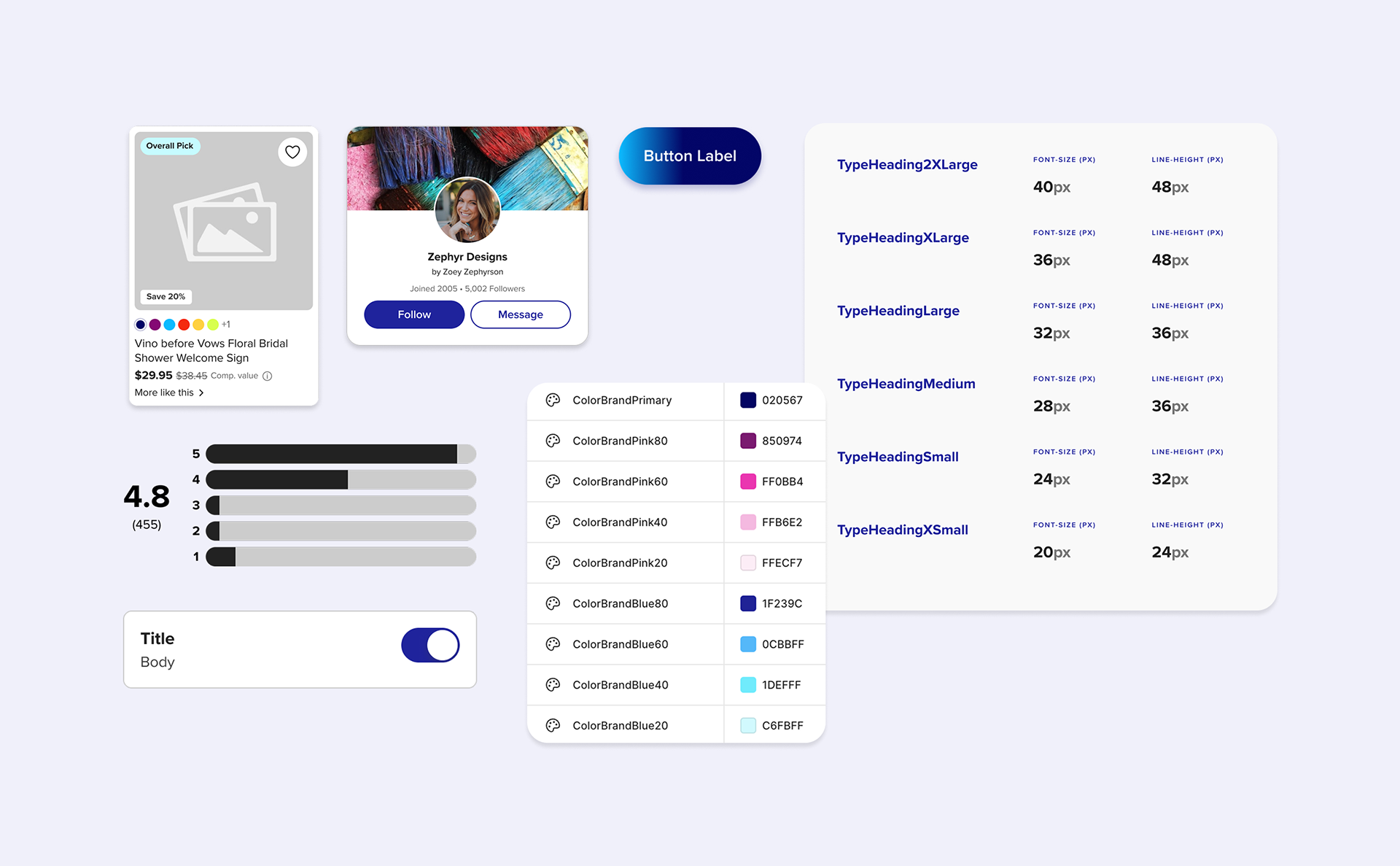
I built the first-ever comprehensive Figma design system for Zazzle, a 20-year-old multi-sided e-commerce marketplace.
The design system incorporates their newly refreshed brand identity, enables the Zazzle team to create a more scalable, delightful, and consistent user experience for customers and creators, and streamlines the designer-developer handoff process.
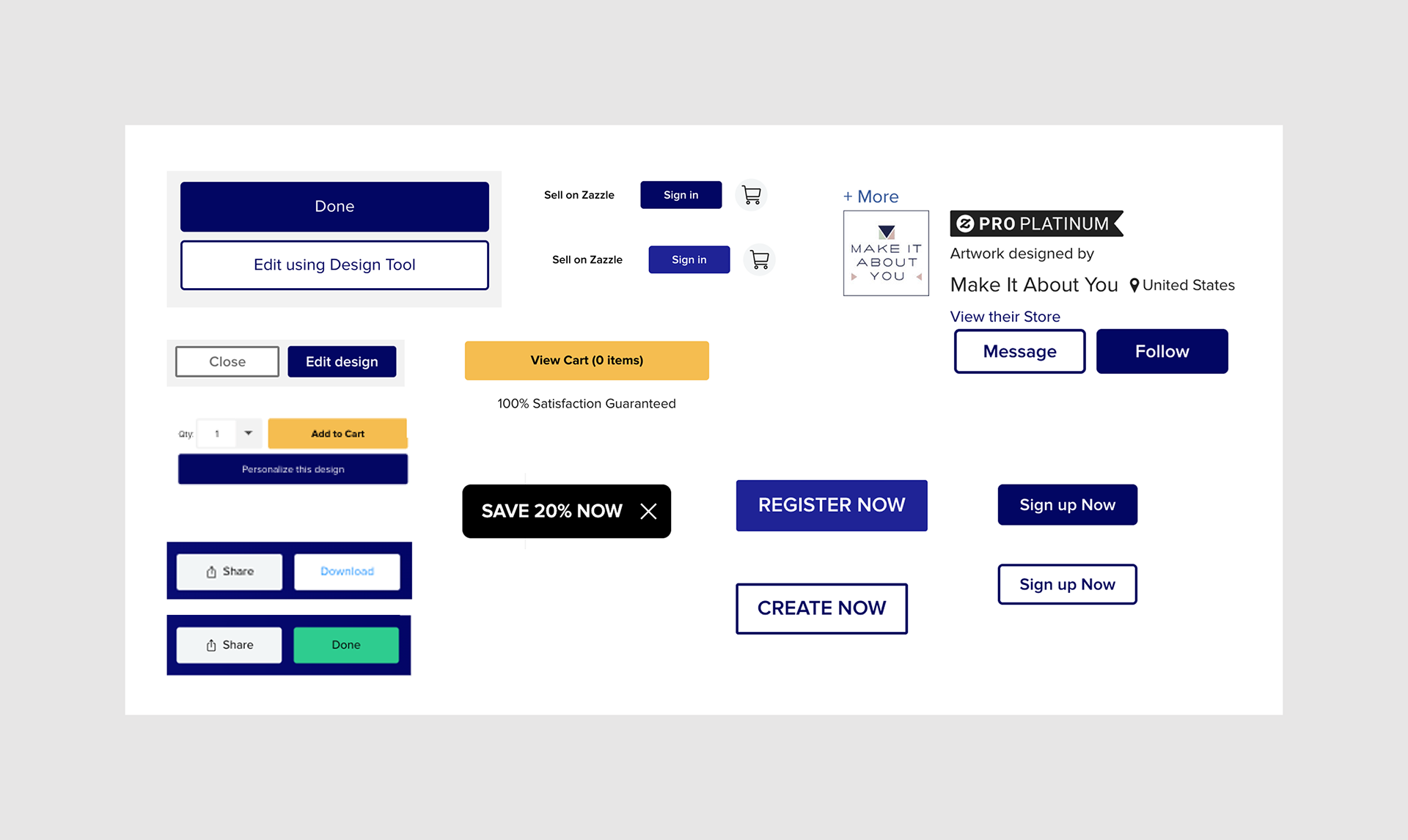
Just a snippet of the different button styles on Zazzle's website and Storybook library.
Key Challenges
The absence of a Figma design system resulted in an inconsistent user experience, inaccessible design elements, and confusing patterns across the site.
An outdated and tech debt-ridden Storybook library further contributed to inconsistencies and technical inefficiencies.
The lack of an in-house design team meant that Product Managers (with varying levels of Figma and UX expertise) were responsible for all design execution, leading to inconsistencies and inefficiencies.
In addition to the challenges the Zazzle team faced, the entire design system project — inclusive of discovery and buildout — needed to happen within a compressed 10-week timeline.
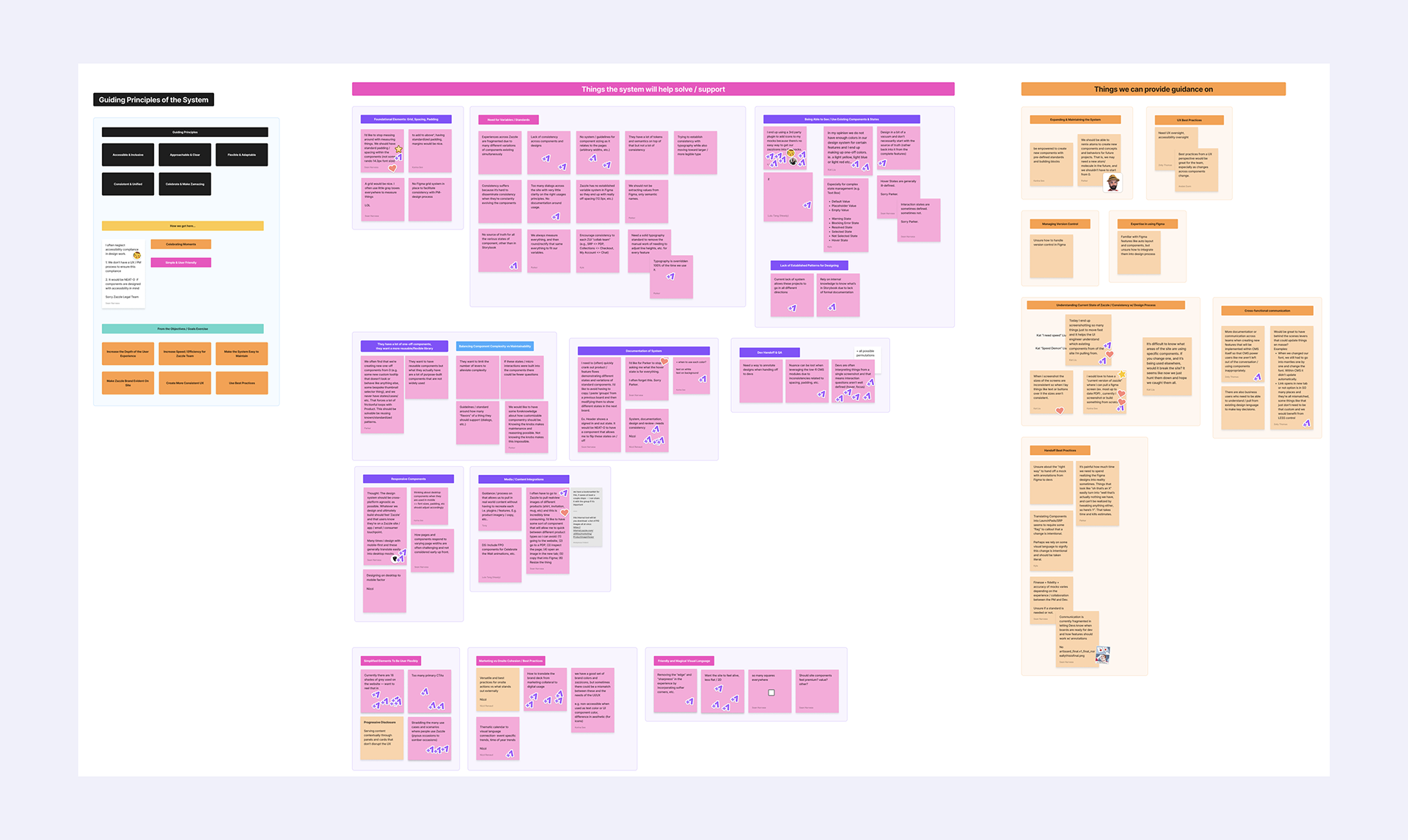
Post-workshop categorization in Figjam.
Discovery
The Discovery phase was organized around a few key activities:
- A full-day, on-site workshop at Zazzle's San Francisco headquarters. I co-facilitated this session and gathered invaluable input from our core stakeholder team, C-suite executives, and various departments.
- Panel interviews with Product Managers, UI Engineers, Brand Designers, and the Merchandising team.
- A comprehensive audit of Zazzle's existing website, Storybook library, and design files.
Based on the insights gathered from these activities, we compiled a detailed findings report outlining our assessments, key findings, and a recommended strategic approach for the design system.
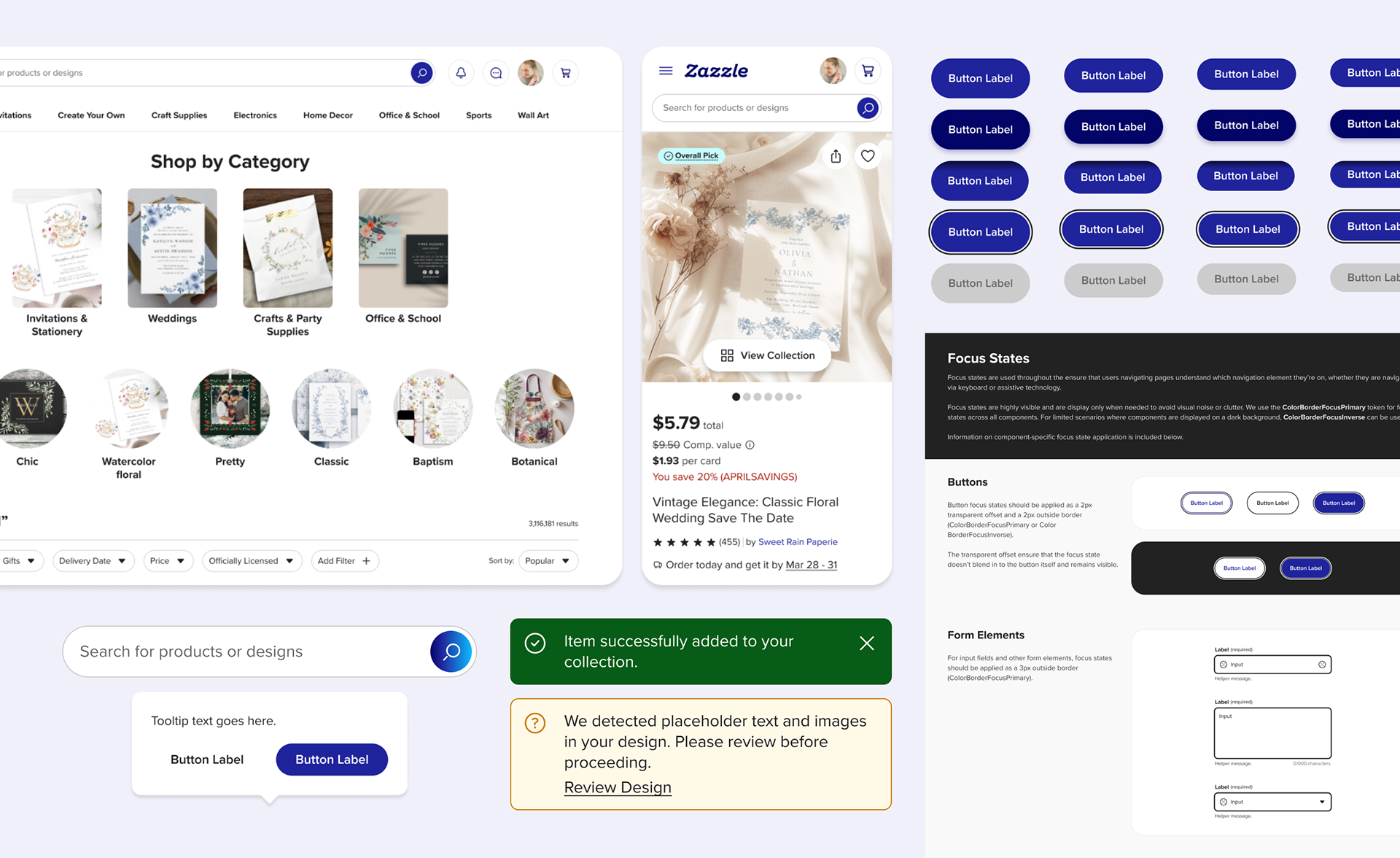
An excerpt of some of the components and documentation in the Zazzle Design System.
Design & Build
During the Design & Build phase, I advocated for and implemented the use of Figma variables to create scalable design tokens for color, spacing, corner radii, and other critical values. This approach significantly enhanced the system's usability and accessibility (especially for non-designers) and ensured parity with the codebase.
I also developed in-file documentation patterns in Figma to ensure comprehensive understanding and adoption. The documentation provides users with all the necessary context to navigate and leverage the system effectively.
We hosted regular "office hours" with the Zazzle team to demo the system, address questions, and onboard them to key Figma features, fostering a smooth transition.
Modularity & Self-Documenting Components
I championed the incorporation of modular components to ensure the system was highly usable by non-designers.
An example of this modular approach is the Dialog & Sheet components, which leverage a self-documenting, swappable sub-component. This allows users to easily swap out content at the instance level, minimizing the need to detach components.
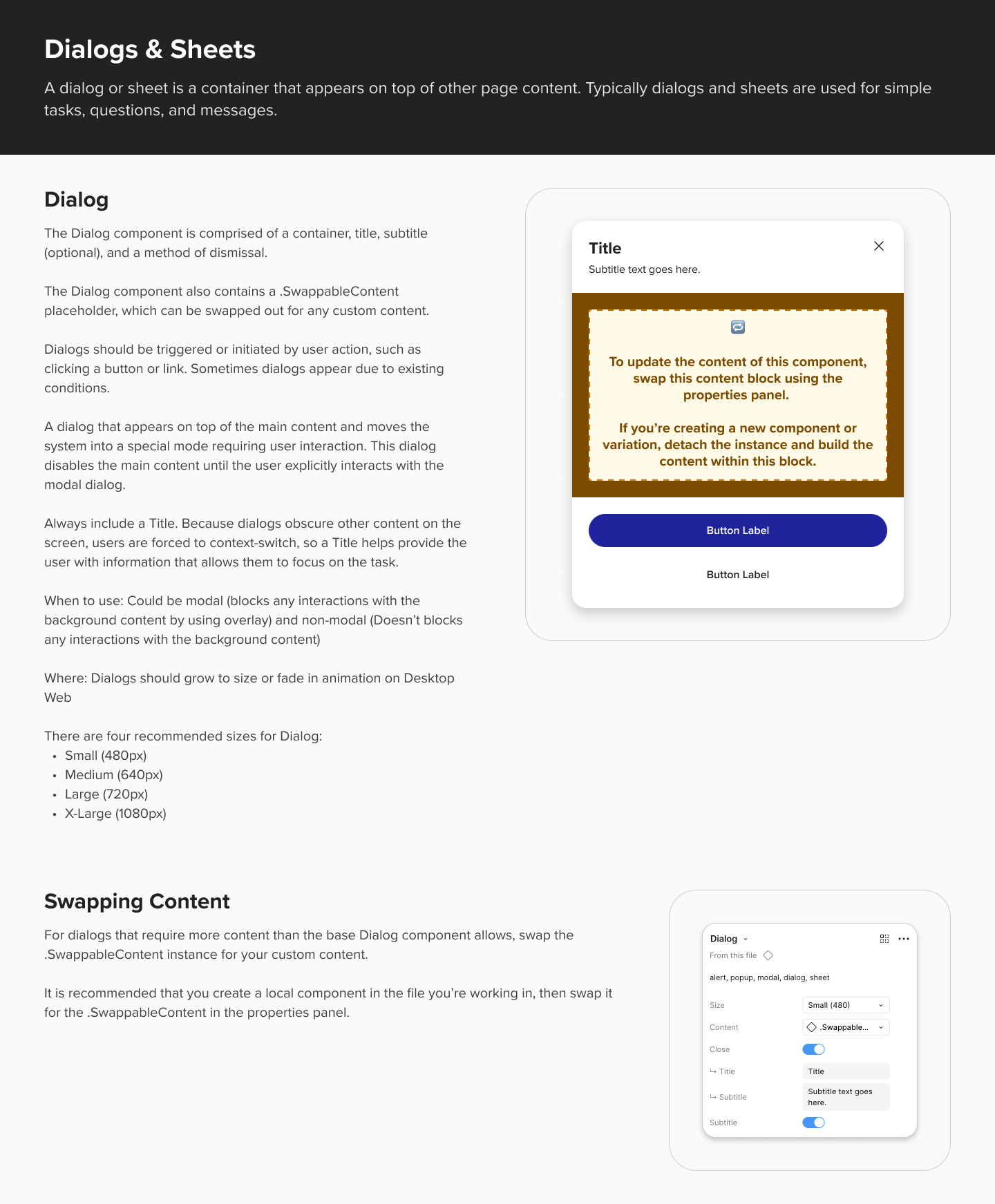
In-file documentation for the modular Dialog component.
Microinteractions
In addition to delivering a comprehensive system, I also integrated microinteractions into several components.
This allowed us to provide Zazzle with strong recommendations for cultivating a more delightful on-site experience for both customers and creators, while ensuring the animations felt cohesive.
Video showing some microinteractions in the card components.
Retrospective
I thoroughly enjoyed working on this project, despite the compressed timeline. Working alongside the Zazzle team and hosting design system office hours was so beneficial both for their team members to upskill in Figma and for me to understand the unique needs of PMs and engineers using the system.